Features
Everything you need to plan a show, in one browser tab.

Build the room
Pick a room shape or trace a photo of a plan. The room is built to real size.
- Pick the room shape from pictures (rectangle, L, U, T and more)
- Build a room from a photo of a plan: place, scale, trace
- Build the room from a plan; drag walls for width and depth
- Per-wall height
- Rooms and interior walls read automatically from STL / DXF (pick the rooms to import)
- L-shapes and recesses (push walls out / in), add corners
- Free-standing walls (partitions); drag the ends to rotate, snap like a magnet
- Per-wall colour, transparency and name
- Doors, sliding doors, windows, bays, round and high windows, shoji, screens, curtains
- Wall cut-outs (openings)
- 18 floor materials (wood, polished concrete, terrazzo, your own photo), steps, ceiling panels, sloped ceilings
- Compass, ceiling height, wall thickness
- Build the room from STL / DXF, trace over a plan image
- Save your own plan as a template

Hang the works
Drag a card into the view and it hangs to scale. Drop in a photo and it becomes the work.
- Drag cards into the 3D or plan view to place them (with an outline)
- Guides: snap to centers, tops, bottoms, standard height and even spacing
- Handles to resize and rotate (also for wall-mounted and hanging objects)
- F / P / M / S canvas size tables
- Embedded photos, automatic background cut-out, cropping, reverse side
- Hang on a wall / place on a plinth / hang from the ceiling (wires)
- Framing (8 frame styles, width, mat)
- Acrylic blocks, garments (tops, bottoms, sets)
- 3D works (box, cone, cylinder)
- Hang line, even spacing, height alignment
- Spacing between works and floor / ceiling clearance shown with arrows
- Tilt a work, swap portrait / landscape
- Turn props into works and works into props

Lighting
Set the beam angle, brightness and light color, and check how it looks in a dark room.
- Spotlights (beam angle, brightness, light color, aim; up to 16). Drag the dot in the view to aim
- Lighting tracks
- Projectors (ceiling / floor, throw distance, projected image)
- Daylight (a band of light through a window)
- Dark rooms (whole room / an area)
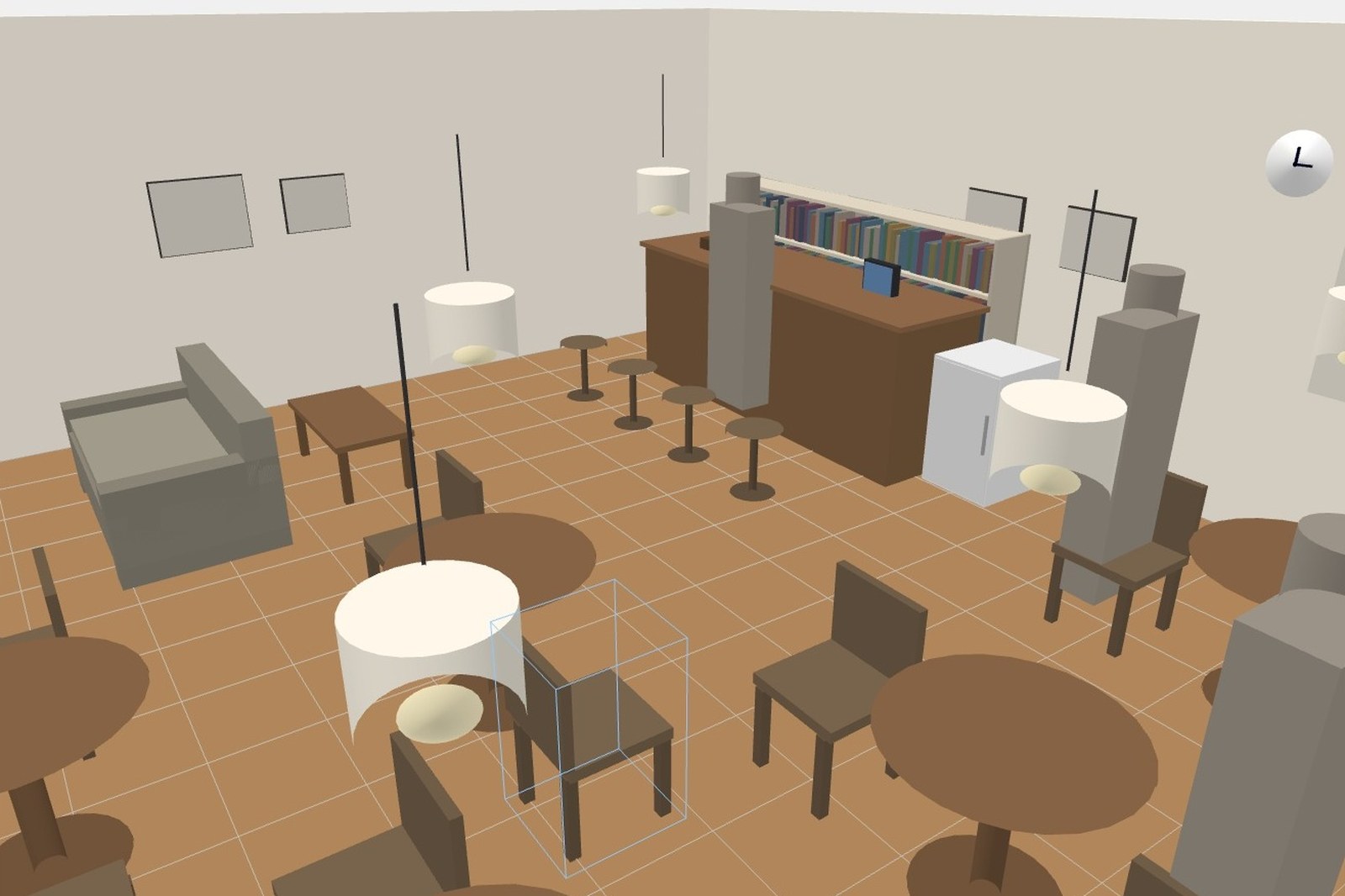
Props and people
From plinths to audience seating, and spaces beyond the gallery.
- 300+ objects (plinths, cases, seating, reception, AV, computers, photography, signage, people, barriers, walls, stairs, drapes, doors and windows, everyday items, furniture, clothing, stage and events, instruments, air conditioners, plants, decor)
- Beyond exhibitions: recreate a room for a move or a re-arrangement, build a stage for a live show or a play, lay out a fashion showroom
- Custom boxes, cylinders, glass cases, captions and cloth by dimension
- Grouping
- STL / OBJ objects (up to 20,000 faces)Standard
- People (4 block figures, 6 photo cut-outs, 6 illustrated)

View and draw
Move between 3D, plan and walk views, and turn it straight into drawings and a work list.
- 3D / plan / walk views
- Split view: edit 3D and plan side by side (move one and the other follows instantly)
- See-through front walls, wall transparency
- Toggle names, wall dimensions, spacing, heights, grid and compass
- Elevations (with dimension lines and titles)
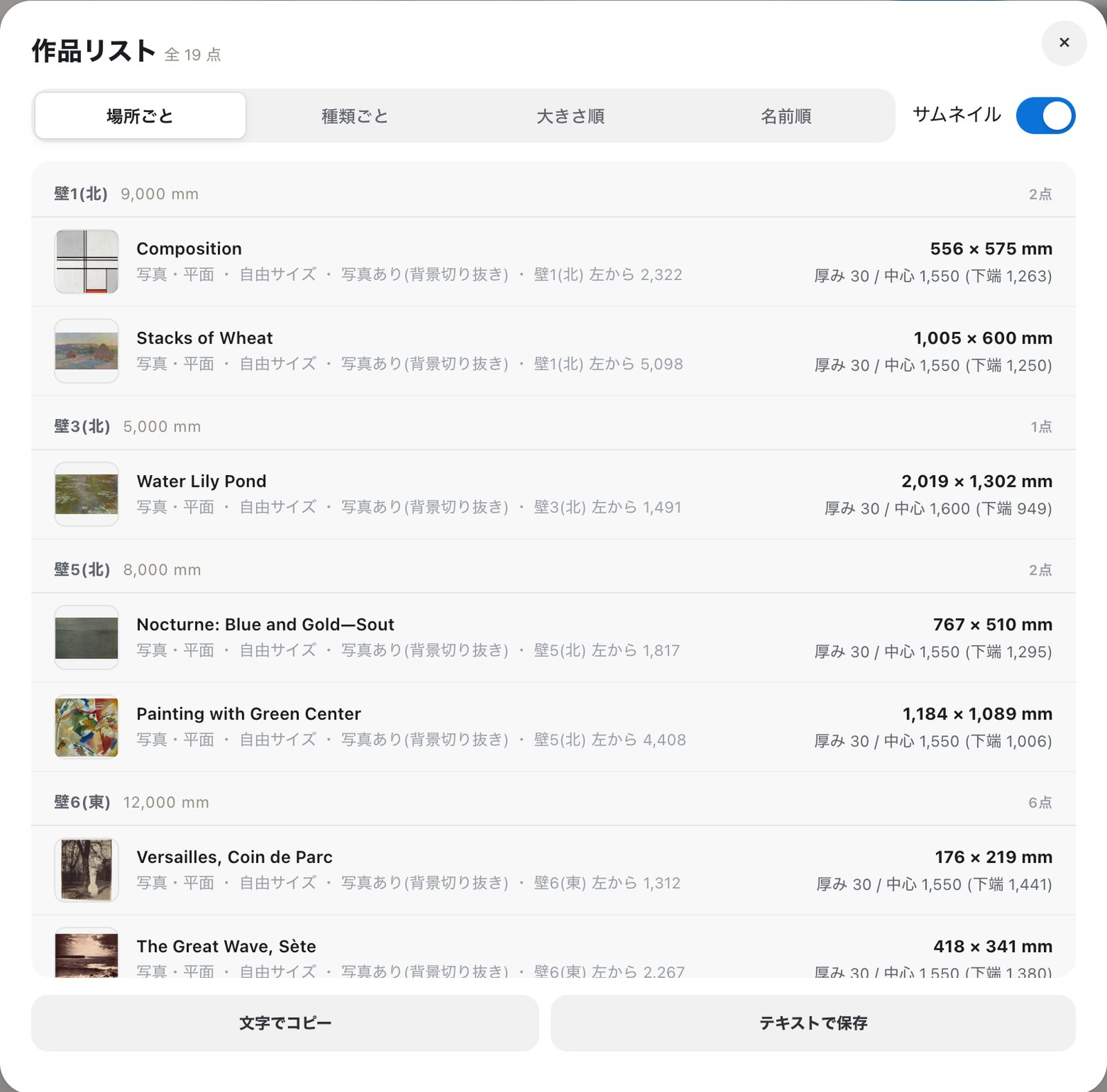
- Work list (exhibition checklist)
Share and edit together
Just send a link. It opens in any browser.
- View-only share links (with QR)Standard

- Co-editing: see others’ name tags and cursorsPro
- Invite guests to edit with you (up to 10)Pro
- Edit one plan from several of your devices at oncePro
- Put a password on a share linkPro
- The cloud keeps changes while the host is awayPro
Save and export
Your work saves itself. Export in the format you need.
- Auto-save on this device, multiple plans
- Sign in with Google to auto-save to DriveStandard
- PDF, PNG and JPEG export
- DXF, SVG, STL, OBJ, GLB and CSV exportStandard
- 3D model importStandard
- Save and load JSON, open a plan from a URL
- Switch units (mm / cm / m / inch)
- Undo / redo, editable shortcuts
- Searchable help
Requirements
No install, no sign-up.
- No install, no sign-up
- Current Chrome, Safari, Edge or Firefox on a computer or tablet with WebGL enabled
- On a phone you can walk through, place, align and co-edit too